
- Home
- Call manager app features
Call manager app features
Call Manager App Features in Calsyst, Every Live Feature Explained
Call manager app features are the tools that dial, log and follow up business calls so a team works from one list. Calsyst has 186 of them in 15 groups, and each one is described below in a single sentence.
- Only features that are live today
- Grouped the way the app menus are
- Links to a full page where one exists
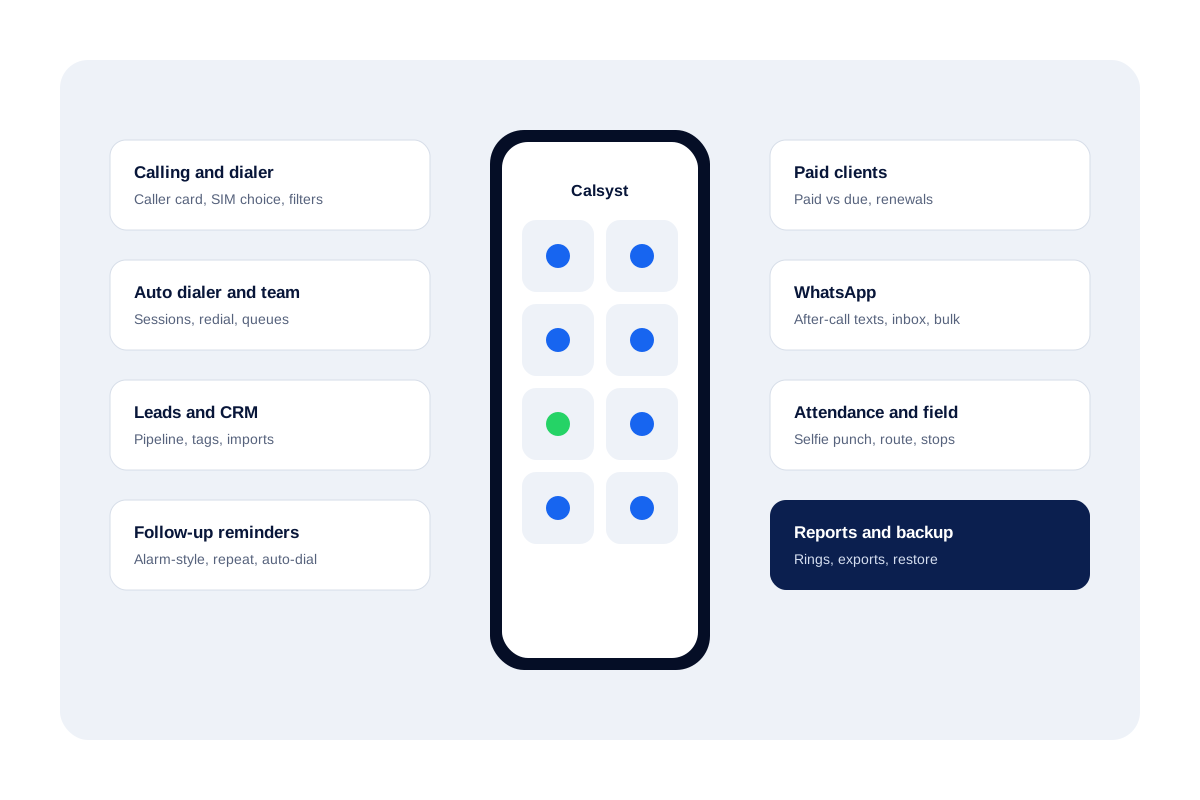
What are call manager app features?
They are the parts of a calling app that place calls, record what happened and plan the next contact, for each person on the team.
In Calsyst they cover the dialer, leads, reminders, paid clients, WhatsApp, attendance, backup and reports.
- The dialer and the after-call sheet do the daily work.
- Reminders and WhatsApp keep each lead moving.
- Attendance and team logs give the owner the view.
Call manager app features by group
How many features each group holds, and where to read more.
| Group | Features | What it covers |
|---|---|---|
| Calling and dialer | 18 | The screen your sellers touch fifty times a day. |
| Auto dialer and team | 18 | Lists that ring themselves, and work shared out fairly. |
| Attendance and field teams | 16 | Shift start, breaks and road time, nothing outside work hours. |
| Leads and CRM | 24 | Callers, enquiries and uploads, all in one tidy list. |
| Notes | 6 | Jottings that stay attached to a person or a call. |
| Follow-up reminders | 14 | The next conversation, booked to the minute. |
| Paid clients and renewals | 10 | Who paid, who owes, and whose plan is ending. |
| 26 | Texts after calls, campaigns and one shared inbox. | |
| Import and integrations | 8 | Leads flowing in, call data flowing out. |
| Sync and backup | 11 | Lose a handset, keep the work. |
| Caller ID and spam | 9 | A name on the screen before you answer. |
| Analytics and reports | 9 | Numbers that open the calls behind them. |
| Search | 2 | A single box for the whole app. |
| Tools and extras | 8 | Small helpers that save opening another app. |
| App experience | 7 | Your language, your look, either platform. |
Call manager app features: calling and dialer
The screen your sellers touch fifty times a day.
- Make Calsyst your handset's phone app; contacts, history and everyday calling carry on untouched. Read the call management app page.
- An incoming ring fills the screen with the name, the lead stage and your last note, locked phone or not.
- While you talk, the whole customer file is one tap away.
- Hanging up brings a sheet for stage, note and next date, finished with two taps. Read the call management CRM page.
- Dual-SIM owners choose a card for every call or pin one card to business use.
- Old Android builds included, each past call says which card carried it.
- Handsets that label calls with private codes still show in, out and missed correctly, as the app works the codes out.
- Digits typed on the keypad match contacts and leads together.
- Slice the log by missed, in, out, answered, rejected, blocked, spam, first-time numbers, paying clients, lost leads or not rung back. Read the call history manager page.
- The missed-call alert offers a ring back on the card you choose, or a WhatsApp, straight from the notification. Read the missed call management page.
- Home keeps a short list of missed people nobody has phoned back on either card, linked to the full view.
- Pull a second person into the line and join both calls together.
- Any contact offers three buttons: ring, WhatsApp or text.
- Calls placed over WhatsApp, Meet or Zoom appear in the same history as SIM calls. Read the WhatsApp call tracking page.
- Switch it on and an unknown caller becomes a contact a minute after hanging up, with your chosen name prefix.
- Numbers from abroad display and dial in the proper format.
- A click on any number in desktop Chrome sends it to your handset, which rings it with the SIM, auto-call and loudspeaker settings you saved. Read the click to call page.
- When Android hides its usual prompt, a built-in walk-through sets Calsyst as the phone app.
Call manager app features: auto dialer and team
Lists that ring themselves, and work shared out fairly.
- Choose a list and the dialer works down it name by name; your job is only the conversation. Read the auto dialer app page.
- Begin with a lead filter, an upload, numbers from the log, names given to you or call-backs due today.
- A bar shows how far through the list you are, and the skip, pause and stop controls follow you to every screen.
- Decide how long the dialer waits before the next ring; admins can freeze that number.
- Pick the minimum talk time that counts a lead as handled.
- Unanswered names return up to three times, once the lap ends, after a delay or at once, and single numbers can get their own retry plan. Read the auto redial app page.
- Calls that keep ringing stop at the time limit you set.
- Lose signal before the other phone rings and Calsyst quietly tries that number twice more.
- Swap the SIM for WhatsApp or WhatsApp Business calling; out of the box it stops after 20 a day, a limit you can change.
- Numbers are saved to the address book before WhatsApp dialing begins, and people who have no WhatsApp can be phoned normally or passed over.
- Share leads across sellers so every person has a private pending queue. Read the lead assignment software page.
- Closed leads gather in Done with a tag naming the route that closed them, whether dialer session, desktop click, manual mark or transfer.
- Pass a lead to a colleague and the record remembers every past owner.
- Move ticked leads, a whole filter or the first few hundred across several sellers in rotation, preview first, with a retry for failures.
- Owners of company handsets can force recording uploads, hide customer numbers and block WhatsApp, SMS, copying and exports, yet calling never stops. Read the employee call monitoring page.
- The owner reads the calls of each seller from a single account. Read the team call log page.
- Keep the handset's own dialer in CRM team mode; the outcome sheet still appears after each call.
- Audio saved by the handset's recorder flows into the app, or you share a file in; Calsyst itself never records. Read the business call recording app page.
Call manager app features: attendance and field teams
Shift start, breaks and road time, nothing outside work hours.
- Punching in needs a live face photo that blinks or moves on request, plus a check that you stand at the office. Read the selfie attendance app page.
- Every branch keeps its own circle size, shift times, weekly offs, late mark, half-day rule and outside-punch choice. Read the gps attendance app page.
- No signal at the gate? The punch waits on the handset and uploads later.
- Two buttons mark the start and end of each break.
- Each employee can check their own punches, hours and breaks, from today back to the previous calendar month. Read the staff attendance app page.
- The employee agrees on a consent screen and turns tracking on a single time; positions are then kept only while the shift is open, ending at punch out or closing time. Read the employee location tracking app page.
- During the shift the handset takes a position every quarter minute and uploads in five-minute batches, pausing on breaks.
- Sellers watch their kilometres for the day grow on their own screen.
- Any halt of five minutes or more is detected and labelled with the area. Read the sales visit tracker app page.
- Spoofed positions get flagged to the office and dropped from distance, as do leaps no vehicle could make.
- The web shows each day as a line on a map with numbered stops, arrival and departure, plus worked time, distance, idle time, breaks, office time and battery. Read the field sales tracking app page.
- Open the original GPS points underneath any route.
- Pick a branch and a date range for a sheet of who came, who was late and who stayed away, with punches, hours, breaks and distance, exportable to Excel.
- Attendance runs on both platforms alike.
- Teams that only need attendance can flip one switch so backups hold punches, positions and leads but no call history.
- Each location prompt is preceded by a plain note saying why it is needed.
Call manager app features: leads and crm
Callers, enquiries and uploads, all in one tidy list.
- A mobile number alone is enough to start a lead from any caller. Read the lead management app page.
- Mark where a lead came from, from Facebook, Google, your website, WhatsApp, Instagram, referral, walk-in, IndiaMART or JustDial to labels you invent.
- Add fields that fit your trade, among them a field that stores a map location.
- Say a name or a requirement out loud instead of typing it.
- Attach the products someone wants and what they asked for.
- Add, rename, recolour, drag and remove stages; a stage still in use stays protected.
- Whatever you noted last time shows up the moment that person rings or you ring them.
- Notes taken on a visit pick up the area and coordinates without typing.
- Tabs on one screen hold calls, WhatsApp, notes, reminders and details for the customer. Read the customer management app page.
- Every move between stages is kept, even ones made from the browser.
- Changes to a lead are logged and stored in the account.
- Leads that went cold gather in a separate list for another attempt. Read the lost leads report page.
- Every uploaded file or sheet remains its own list for filtering, dialing or removal, and removing it takes away only its own leads.
- A single searchable filter reaches due dates, owner, stage, tag, source, product, list and your own fields.
- Combine several filters with many values each, match any or every tag and product, and drop a choice by tapping its chip.
- Search hundreds of tags, create one from what you typed, rename to fold duplicates together, or remove tags.
- The same product search serves leads, calls and client records.
- Tick a handful of leads, or everything a filter returns, then attach or remove tags and products for all of them in one go.
- Lead history shows each tag and product change.
- Lift every field, source detail, note and amount from lead, Done, reminder and client cards in one copy.
- Fields suggest what you entered before.
- Uploads throw out repeated numbers and fix country codes.
- Download leads as CSV, limited to whatever the current filter shows.
- Set up once on the Web CRM and an AI voice agent phones each fresh lead, then passes it with the result to the next seller in rotation. Read the lead automation page.
Call manager app features: notes
Jottings that stay attached to a person or a call.
- Keep a private notepad and pin notes to leads, contacts or single calls.
- A note can hold a checklist, pictures and voice clips.
- Give a note an alarm and it sounds like any reminder.
- Older wording survives each edit, with dates.
- Pin important notes; app-wide search reaches them all.
- Removed notes sit in Recently deleted for a month first.
Call manager app features: follow-up reminders
The next conversation, booked to the minute.
- Quick picks run from five minutes up to a month ahead, and a custom option covers any other date and time. Read the follow up reminder app page.
- Call-backs sound on the minute, through a locked screen and after the handset restarts.
- Make a call-back come round again on a daily, weekly, monthly, yearly or custom cycle until the end date you set. Read the renewal reminder software page.
- Attach your standard text, an approved template or a fresh message to send when the alarm goes off.
- Ring back, read past activity, leave a typed or spoken note, or push it later, right from the alarm.
- Switch between pending, completed, today, tomorrow, upcoming and other views.
- Nothing closes until someone ticks it, and anything missed reappears in Today marked overdue. Read the lead follow up CRM page.
- Open cards carry their own Mark done control.
- Optionally, a reminder shuts itself once a call with that person connects.
- One customer can hold several separate reminders.
- A reminder can be a plain note without any phone number.
- Search recent calls or contacts to choose who it is for.
- Reminders and person sheets carry a WhatsApp button.
- Everything due today can run as a single dialing lap.
Call manager app features: paid clients and renewals
Who paid, who owes, and whose plan is ending.
- Turning a buyer into a paying client takes a single tap. Read the payment reminder app page.
- Paying customers live in their own tab, away from open leads.
- Hold a product list and monthly, yearly or custom packages, adding new ones mid-task.
- Every sale carries two figures: money received and money still owed.
- Repeat purchases and multiple packages stay as separate entries.
- Four cards total your sales by day, week, month and year.
- Filter clients whose plan finishes today or in the coming week.
- An alert arrives before expiry, and Renew extends from the existing end date.
- Client records accept extra fields of your own.
- A client paying from an unseen number gets a lead created automatically.
Call manager app features: whatsapp
Texts after calls, campaigns and one shared inbox.
- Write separate WhatsApp replies for calls you missed, calls you made and calls you took, and each goes out after its own kind of call. Read the auto WhatsApp message after call page.
- Moving a lead to any stage, custom ones too, can fire its own message.
- Recording a sale or an alarm going off can also send a message.
- Per trigger, choose between a hands-off send through your Business API provider and a prefilled chat you send yourself.
- Set silent hours, a gap per number, an ask-first switch and people never to message.
- A running log marks each automatic text as delivered to WhatsApp, held back or failed, and says why.
- Build a bulk audience from leads, recent callers, chat contacts, paying clients, a connected sheet or API, or a list you paste in. Read the bulk WhatsApp sender page.
- Group sends split contacts and callers into batches of 240 and respect a do-not-message list.
- A blast either goes number by number from your own handset with no API, or runs on the server through the API.
- Six placeholders, {name} and {city} among them, turn one template into a personal note for each recipient.
- Try the message on one number before the full send.
- After a campaign, check person by person whether the text arrived, was read, got a reply or bounced.
- The WhatsApp CRM chat takes text, pictures, files, video, voice, templates, quick-reply buttons and option lists. Read the WhatsApp CRM page.
- Each message shows the minute it was read.
- Markers flag chats nobody opened or nobody answered.
- Open a chat and the customer's call record and lead card sit right beside it.
- Tap once to make a chat into a lead. Read the WhatsApp lead management page.
- Split chat contacts into segments using your fields and tags.
- When someone leaves, their conversations remain in the business account.
- Store several API providers as named profiles and switch whenever you like. Read the WhatsApp business api provider page.
- Templates your provider has approved come into the app labelled by type and language, each with a preview.
- Fill each blank in a template before sending.
- Stored messages carry a picture, file, video or voice note and go out in a tap.
- Choose which WhatsApp app opens by default.
- Saved contacts who use WhatsApp can get a voice or video call from the WhatsApp sheet, next to the message button.
- A drip of daily WhatsApp follow-ups halts as soon as a person joins the chat.
Call manager app features: import and integrations
Leads flowing in, call data flowing out.
- A Google Sheet or REST API is read in the background on a timetable, and new rows become leads. Read the lead automation page.
- Match incoming columns to standard and custom fields and give each source its own country.
- Rows left out come with the exact reason.
- Preview what a source sent, accepted and rejected rows alike, and wipe any test leads before they spread.
- Upload spreadsheets, CSV or JSON directly. Read the auto dialer from excel page.
- Files shared from WhatsApp, mail or a browser open straight in the importer.
- If your company already runs another CRM, feed it call details through that system's API; nothing installs with one click. Read the hubspot call logging page.
- Browser-side, point a webhook or a live sheet at the account and fresh leads are dealt out to sellers in turn. Read the facebook lead ads to CRM page.
Call manager app features: sync and backup
Lose a handset, keep the work.
- Calls, leads, stages, notes, call-backs, clients, templates and chat history are copied to the account. Read the call log backup page.
- Sign in on a replacement handset and the data returns.
- Pick which cards take part in backups.
- Numbers you exclude skip both backup and automation.
- Optionally limit backups to calls placed in branch hours, honouring days off and the branch time zone.
- Optionally limit backups to calls with leads, assigned leads or clients.
- Changes sync in the background and in full when the app opens.
- A log lists each sync with its time, a retry and a resend-all button.
- A self-check spots gaps and refills them both ways.
- Tapping an alert jumps to the exact record behind it.
- Deletions reach the server only as admin rights allow.
Call manager app features: caller id and spam
A name on the screen before you answer.
- Leads, clients and contacts supply the caller name before anything else.
- Unknown numbers can be checked online if you allow it.
- Numbers other users reported carry a warning while they ring.
- Report spam yourself and choose how many reports flag a number.
- Block and unblock numbers from one screen.
- Saved leads and clients get through whatever the block settings.
- If another phone app hides the caller card, a ringing alert carries the details.
- A check notices missing caller cards and opens the exact setting that fixes them.
- Only handsets that need it are asked about battery settings.
Call manager app features: analytics and reports
Numbers that open the calls behind them.
- Rings count all, in, out, missed, answered, first-time, rejected, blocked, spam and lost-lead calls. Read the call analytics app page.
- Tapping a ring opens the log at exactly those calls.
- People you rang who never passed your 60, 30 or 0 second mark show once each. Read the lost leads report page.
- Compare how many different people called with the total number of calls.
- Month by month, follow in, out, missed and rejected calls.
- Reports cover any span you like, from a single day to the full history, shown as a summary or a deeper analysis.
- Each seller's calling rolls up into the owner's figures. Read the employee call tracking app page.
- Export call history for any period as Excel or PDF. Read the how to export call logs to excel page.
- Today's counts and the names still owed a call-back can be shared on WhatsApp or arrive as an alert at a fixed hour. Read the daily call report format page.
Call manager app features: search
A single box for the whole app.
- Type once and results come back from every corner of the app: people, calls, notes, call-backs, chats and your catalogue.
- Matches appear as the same complete cards you see elsewhere in the app.
Call manager app features: tools and extras
Small helpers that save opening another app.
- Keep files in your own folders and share them to any app.
- Hit your calling goals several days running and the app turns the streak into a card you can post.
- An in-app AI helper answers how-to questions.
- Searchable tutorial videos carry subtitles in every app language.
- Links for the digital catalogue, Refer and earn and My referrals are built in.
- One short tip arrives each day as an alert.
- Choose basic or technical support and reach it on WhatsApp.
- When a call misbehaves, share the diagnostic log or its support code from Settings and the support team can trace what happened.
Call manager app features: app experience
Your language, your look, either platform.
- Choose from over forty languages inside the app, right-to-left scripts included.
- Pick light or dark, with optional wallpaper colours.
- Setup walks through phone role, alerts and alarms step by step.
- Alerts carry action buttons, so many jobs need no app opening.
- Updates and ratings happen without leaving the app.
- Your profile lists each active plan and when it ends.
- iPhone users get everything except call history, which Apple keeps private.
Call manager app features FAQ
Which call manager app features matter most for a sales team?
Start with the auto dialer, the after-call sheet and follow-up reminders. Those three remove manual dialing, keep a result on every call and book the next one.
How many features does Calsyst have?
Calsyst lists 186 live features in 15 groups on this page. The list only shows features that are in the app today.
Does every call manager app feature work on iPhone?
Nearly all. Call history is the exception, because Apple keeps the iPhone call list away from apps, so those screens are Android only.
Can the owner switch some features off for staff?
Yes. On company handsets the owner may block WhatsApp, texting, copying and exports, hide customer numbers and fix the dialer pause, while calling stays open.
Must I have the WhatsApp Business API to use the WhatsApp tools?
No. Without one, WhatsApp opens with your words ready to send. Connecting an API provider lets messages and campaigns leave in the background.
Which features need an internet connection?
Sync, backup, WhatsApp and the web reports need internet. Attendance punches work offline and upload when the phone reconnects.
Can my current spreadsheet of leads come across?
Yes. Upload it as Excel, CSV or JSON, or link the Google Sheet or REST API and let Calsyst re-read it on a timetable.
Is call recording one of the features?
Not as a recorder. Calsyst collects the audio files your handset already saves, or a file you share in, and keeps them with the call.
What is Calsyst?
Calsyst is a call manager app with an auto dialer, a lead CRM, follow-up reminders, WhatsApp tools and staff attendance in one account.
How do new features reach my phone?
Updates install inside the app, and this page lists a feature only once it is live for users.