
- Home
- Call management app
- Best call management app
Best call management app
Best Call Management App for Sales Teams: 7 Picks Compared by Calsyst
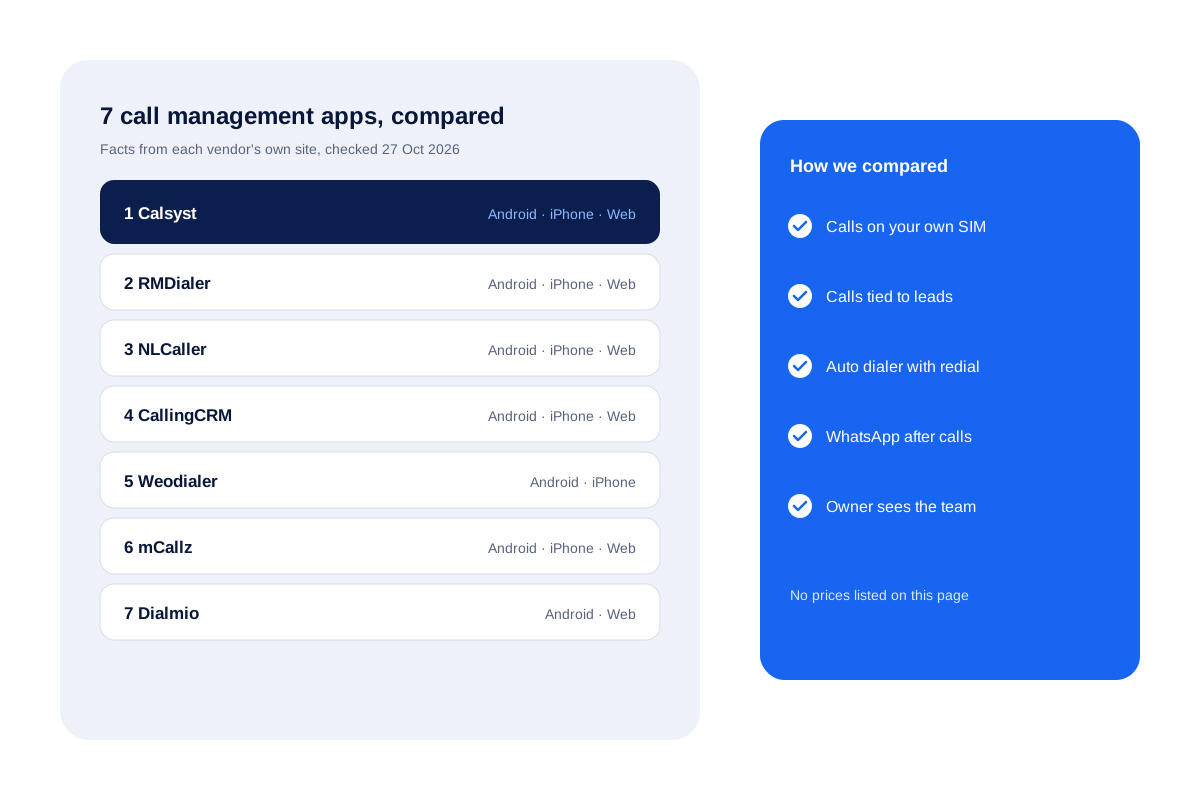
The best call management app pins each conversation to a customer, books what happens next and shows the owner the whole team. Calsyst leads this list of 7 SIM-based apps, and every other entry rests on what its maker publishes, as read on 27 Oct 2026.
- Seven apps that all call over your own SIM
- Platforms, dialer, WhatsApp and team view side by side
- No prices quoted: ask each vendor directly
What is the best call management app?
The best call management app files calls under leads, rings through lists, nags sellers about call-backs and hands the owner a view of every conversation.
Calsyst does all four on Android; on iPhone it does everything except the call log. It is first here for teams wanting calls, leads and attendance in one app.
- All seven apps use the SIM in the phone.
- iPhone support and web views differ the most.
- Try two apps on real calls before deciding.
Best call management app for Android: five features that matter
We compared every app on the same five checks.
Calls on your own SIM
Customers see a familiar mobile number, and no virtual line or headset is needed.
Calls tied to leads
Each call opens the customer record, so notes and history are there when the phone rings.
Auto dialer with redial
A list rings name by name, and people who did not pick up are tried again later.
WhatsApp after calls
A text can follow a missed or finished call without the seller typing it.
Owner sees the team
Every seller's calls reach one account, so the manager reviews work in one place.
Best call management app: the 7 picks
The seven picks are Calsyst, RMDialer, NLCaller, CallingCRM, Weodialer, mCallz and Dialmio. All of them dial over the SIM already in the phone and pin calls to leads. They differ most on iPhone support, the owner’s web view and extras such as field routes, renewals or portal leads.
1. Calsyst
Calsyst takes over as the Android phone app, files every conversation under its lead and asks for the outcome in 2 taps when each call ends. It adds an auto dialer with redial, alarm-style follow-ups, WhatsApp after calls, selfie attendance and an owner screen listing each seller’s calls. On iPhone everything works apart from call history, and owners read reports in the web account at app.calsyst.live.
Best for: owners who would rather run calling, leads, WhatsApp follow-up and staff punches from a single login. Limit: no voice menu, call queues or virtual numbers.
2. RMDialer
RMDialer’s home page sells it as a dialer plus telecalling CRM and names Android 8 and above, an iOS 17+ iPhone build that leaves out call history, and a browser CRM for owners. It mentions selfie attendance with location and an owner view of calls, connected calls and talk time.
Best for: telecalling teams that want a one-by-one auto dialer with an owner view of calls and talk time. Limit: call history is Android only, as with every app here.
3. NLCaller
NLCaller pitches itself at sellers whose whole day happens on the phone. Its site lists Android and iPhone apps, a web dashboard and dialing from a computer, plus paid-client tracking with renewal reminders.
Best for: sellers who also manage renewals of paying clients. Limit: call history stays out of reach on iOS.
4. CallingCRM
CallingCRM frames its product as a SIM-based calling CRM for phone-led selling. Its site highlights field features: a route map of the workday and distance covered per day and month, with web reports for attendance and routes.
Best for: teams that mix phone selling with field visits. Limit: on iPhone the built-in call history is not available.
5. Weodialer
Weodialer describes a calling CRM app that replaces the phone’s dialer. Its site lists Android and iPhone, click to call from Chrome, WhatsApp campaigns and chat, and selfie attendance. A separate web app is not stated on its home page.
Best for: sellers who place many calls from a computer screen. Limit: web app for owners not stated.
6. mCallz
mCallz positions itself as call management software for small businesses. Its site lists Android, iPhone and a web dashboard for owners, a full-screen caller card, list dialing that retries no-answers and caps ring time, and selfie punches inside an office geofence.
Best for: small businesses that want a simple owner dashboard. Limit: iOS keeps the call log closed to the app.
7. Dialmio
Dialmio aims its CRM and dialer at Indian sales and service desks. Its site lists an Android app (Android 8 or later), a Web CRM, and leads pulled in from portals such as IndiaMART, from social lead ads, spreadsheets and web forms.
Best for: Indian teams that pull leads from many portals. Limit: its FAQ states there is no iPhone app.
Call management apps compared side by side
| App | Android | iPhone | Owner web view | Auto dialer | WhatsApp after calls | Selfie attendance | Best for |
|---|---|---|---|---|---|---|---|
| Calsyst | Yes | Yes, no call log | Yes | Yes, with redial | Yes | Yes | Calling, leads, WhatsApp and punches in one login |
| RMDialer | Yes, 8+ | Yes, iOS 17+, no call log | Yes | Yes | Yes | Yes | Telecalling teams wanting a one-by-one dialer |
| NLCaller | Yes | Yes, no call log | Yes | Yes, with redial | Yes | Yes | Sellers who also manage renewals |
| CallingCRM | Yes | Yes, no call history | Yes, reports | Yes, with redial | Yes | Yes | Phone selling mixed with field visits |
| Weodialer | Yes | Yes, no call log | Not stated | Yes, with redial | Yes | Yes | Many calls placed from a computer |
| mCallz | Yes | Yes, no call log | Yes | Yes, with redial | Yes | Yes | Small firms wanting a simple dashboard |
| Dialmio | Yes, 8+ | No iPhone app | Yes | Yes | Yes | Yes | Indian teams with many lead portals |
For a closer look at the phone screens that make Calsyst work, see the call management app page. Owners comparing the web side should read about call management software.
Best call management software: how to choose
- Start with your phones. If half the team uses iPhone, check how each app handles iOS, since none can read the iPhone call log.
- Count your leads. A team working portal leads needs imports, sheets or an API, not just a dialer.
- Check the owner view. Ask for a demo of the team call log and the missed-call list.
- Test WhatsApp. Decide whether you need the WhatsApp Business API or only prefilled messages.
- Make real calls. Run a few days of normal calling before committing the whole team.
If you need inbound queues or a voice menu instead, read about the call management system types first.
Best call management app: limits of this comparison
- It covers SIM-based apps only, not cloud phone systems with virtual numbers.
- Facts come from each vendor’s own website on 27 Oct 2026; vendors may change features later.
- A blank in a vendor’s published facts appears as “Not stated”; nothing was filled in by assumption.
- Calsyst is our own product, which is why it is listed first.
Best call management app FAQ
Which is the best call management app for a mobile sales team?
Start with Calsyst: it logs each call under a lead, dials lists, rings call-back alarms and shows the owner the whole team.
What is Calsyst?
Calsyst is a call management app for business teams that ties every call to a lead, runs an auto dialer over the phone's SIM and gives the owner one team view.
Which call management app works on iPhone?
Six of the seven publish an iPhone app and one says it has none. Apple shuts every app out of the iPhone call history, so that part is Android-only everywhere.
Do these call management apps need a new phone number?
No. All seven dial over the existing mobile SIM, so customers keep seeing the same caller ID.
Where can I find what each call management app costs?
From each vendor directly. This comparison leaves costs out on purpose; for Calsyst plans, message the team on WhatsApp at +91 78470 91099.
How were the seven apps chosen and ordered?
Calsyst is listed first as our own product. The others are SIM-based apps for sales teams, and every fact about them comes from the vendor's own website, checked on 27 Oct 2026.
What should I test in a call management app trial?
Make real calls for a few days: check that every call lands on the right lead, that follow-ups ring on time and that the owner view shows the whole team.
How does a mobile call app differ from a cloud phone system?
They differ in where calls run. A mobile call app works on your existing SIM numbers and focuses on logging and follow-up, while a cloud phone system gives you new numbers and routes calls online.
Can a call management app send WhatsApp messages?
Yes. Each of the seven vendor sites mentions WhatsApp texts after calls. The usual routes are an API account or a WhatsApp window that opens with the words filled in.
Does any app on this list record calls?
Yes, a few. Some vendors mention recording on supported Android phones. Calsyst leaves capture to the handset and collects whatever audio the phone saved.